Shout out the good stuff
Peers celebrate teamwork, learning, mentorship, welcoming a new colleague, and thoughtful everyday help.

Make recognition consistent across teams and shifts. Give managers clear point rules and reward workflows without another spreadsheet, with an employee experience designed to feel personal.
Sample activity from the demo workspace.


Recognition is more than a number. It is a thoughtful moment between people, carried across every shift and remembered.
The work is personal.
The thanks should be too.
Home care, clinics, hospitality, retail - wherever people look after people, appreciation lands differently.
Make appreciation part of the workday. Give teams many meaningful ways to earn, celebrate progress, and choose rewards that matter to them.

Peers celebrate teamwork, learning, mentorship, welcoming a new colleague, and thoughtful everyday help.
Recognize approved learning, compliance refreshers, coaching, and the practical use of new skills.
Reward constructive ideas, safer practices, inclusive teamwork, community contributions, and project milestones.
Optionally award a consistent 10 points for an on-time, completed shift, with employer-set grace and manager review.
Offer employer-fulfilled gift cards, experiences, charitable giving, team rewards, or time-away requests with clear approval and delivery tracking.
Set a shared recognition challenge and let employees follow it privately. Personal milestones and goals stay private, while any 30-day leaderboard is workspace-only and employee opt-in.


A short tour of the real product - the administrator workspace, the recognition wall, the rewards marketplace, and the employee portal, shown with a sample team.




NyxThrive is designed to feel calm, considered, and worthy of the people it serves. It avoids sensitive personal information, public individual scoreboards, and incentives that could reward unsafe speed or overwork. We believe recognition should support a healthier culture, not become another measure of pressure.
Recognition, points, and rewards come together in one considered experience, designed to work alongside the HR and payroll platforms your organization already uses.
Organization workspaces, employee accounts, recognition, points ledger, reward catalog, approvals, and audit trail.
Administrators manage reward delivery and can preview and approve employee roster CSV imports. Imports are not automatic HR sync.
Plan a secure connection with your HR or payroll provider, shaped around your organization’s permissions and data needs.
Every monthly plan includes the same NyxThrive features. Choose the employee capacity that fits your organization.
For teams with up to 50 employee account spaces
For growing organizations with 51 to 200 employee account spaces
For established organizations with 201 to 500 employee account spaces
For organizations with more than 500 employee account spaces
Prices are in U.S. dollars per organization, billed monthly with no free trial. Applicable taxes are calculated at checkout. Online checkout activates after Stripe account configuration is complete. Employee account spaces include active employees and pending invitations. Rewards are administered and fulfilled by the organization. Payroll/HR integrations, real-time clock-in connections, setup services, and service-level commitments are not included unless separately agreed in writing. Privacy notice.

Start with onboarding, mentorship, teamwork, ideas, community or reviewed shift recognition. Review every rule and publish only what fits your organization.

Use a curated idea library, set point costs and explain how your organization will approve and deliver each reward. Employees can keep a private wishlist.

Review a calendar-month report with recognition reach, fulfillment activity and manually recorded reward expenses. No unsupported retention or productivity claims.
Recognition travels.
Day, evening and overnight - appreciation that reaches the whole team, not just the day shift.
Every published monthly plan includes the same recognition, points, reward-request and administrator tools. Capacity includes active employees and pending invitations. Employer-provided rewards, setup services and payroll integrations are separate from subscription pricing.
Subscriptions are monthly in USD with no free trial. Applicable taxes appear in Stripe Checkout. The workspace activates after Stripe confirms an active subscription. Administrators manage invoices, payment methods and cancellation in Stripe. Review the cancellation effective date there; cancelling a subscription is different from deleting workspace data.
No. Your organization purchases and fulfills rewards, handles any tax obligations and approves time-away requests under its own policy. NyxThrive tracks requests and fulfillment, not automated purchases.
A direct Paycom connection has not been verified or implemented. Employee and attendance CSV workflows support administrator review. An authorized provider connection needs confirmed technical access and an agreed data scope.
No. Shared challenges do not rank individuals. Personal goals, milestones and wishlists stay private. Company leaderboards are optional, restricted to the workspace and require employees to opt in.
Yes. Request a walkthrough by email with your organization size and time zone. An appointment is confirmed by a person. Support and onboarding details · Trust and transparency.
MORE FROM NYX COLLECTIVE
Manage customers and open their Admin portals without changing your Owner identity.
One account. Clear boundaries. Open an organization's Admin dashboard directly, or stay here for platform oversight.
Customer visits are recorded automatically. No audit-reason form.Open a brochure in a new tab to review or print. These files are served only after Platform Owner authorization.
Platform Owner access lets you administer customers. It is different from being an Admin or Employee member of a customer organization.
Configuration is not verification of live payments, connector eligibility, backups, or incident response. Platform authorization and integration credentials are deployment settings, not editable browser secrets. Refunds are managed in Stripe.
Select an organization below and choose Give free full access. For an existing paid subscription, open its organization Admin portal and choose Billing. Cancel a paid subscription before granting free access.
Use Open Admin dashboard to enter an organization. Select its name for separate Owner tools and leadership.
Choose a customer from the directory to manage free access, open its Admin portal, or review leadership and support history.
Search and filters apply to the organizations loaded so far. Load more to include additional customers.
Add leaders and manage free access here, or open the Admin dashboard to work with employees, points and rewards.
Open this organization's Admin dashboard with your Owner permissions. Your visit is recorded automatically; no audit reason needs to be entered.
Give this organization every available workspace feature, with no software subscription, no expiry and unlimited employee accounts.
The organization still provides and funds its rewards. This does not reactivate a suspended workspace.
Open this organization's Admin portal, then choose Billing. Free access does not cancel an existing Stripe subscription.
Invite this organization's leaders directly from here. They receive their own Admin access to this customer workspace, not your platform Owner permissions. Free full access does not require a paid plan.
Already has an active account here? Enter their work email to promote an Employee to Organization admin, or change an Admin to Employee. The role change and reason are audited. Keep at least one active Admin.
A considered view of recognition, points, and employee participation across your organization.
Review what needs your attention, then get straight to the work.
Counts reflect loaded records, not a complete backlog. Open each queue and load additional records when needed.
Opportunities shown are loaded records. Milestones celebrate verified activity; no extra points, individual pressure or invented streaks.
Explore approved learning, mentoring and community opportunities, share completion evidence for reviewed points, and connect with leadership and peers.
Posting, replying and clicking never award points. Opportunity points require an admin's approval and respect your rolling seven-day cap.
Your balance is available points after reward requests.
Recognize colleagues using the published themes and point values below. Awards are subject to the same rolling 7-day cap for everyone. Reward requests temporarily use points; if a request is rejected, those points are returned.
Point values can change for future awards. Your points ledger shows the date, reason, and recorded actor for each change.
A little gold foil, once a week. Scratch to see what is underneath; the prize lands in your balance right away.
Anonymous appreciation week has ended. These teammates noticed you - now you know.
Your line is sealed in this capsule.
A new teammate is settling in. Add one short line - when they arrive, the card reaches them with every line and name on it.
Your team signed this for you in your first week. Every line below is theirs.
Donate points from your balance toward the goal. When the goal fills, the company makes the donation - this app only tracks the points. Donations are one-way.
0 of 0 points
Every recognition you give earns one ticket. At month's end your admin spins the glass wheel and one ticket wins the prize.
0 tickets held
Choose what feels useful. These steps are private and never affect points or employment decisions.
Optional, organization-wide goals based on shared public recognition. No individual scores or rankings.
The most appreciated teammates this month, by points received. Ties share a step.
Optional summaries, recognition prompts and milestone celebrations can be enabled in My account. Nothing is emailed or sent as a push notification.
Badges for your recognition and points milestones. Private to you, with no extra points or rankings.
Only you can see or update this goal. It does not affect your points or appear in manager reports.
One gold card at the top of every home in this workspace, with confetti on each person's next sign-in. It stays up for seven days; anyone can dismiss it for themselves.
For one week, celebrations wear the theme and a limited badge is earnable by giving or receiving 3 moments. Nothing changes when no week is active.
Every member gets a personal story of their year: moments, points, badges, their top giver and receiver, best month and giving streak. It opens for everyone in December; open it early here to demo it.
For one week, recognition shows the receiver "Someone noticed" instead of the giver. Points and celebrations work as usual. On the Friday of the week - or when you end it early - every receiver gets a reveal card naming their givers.
One hour a week, kept secret. Recognition sent in that hour glows gold on the wall, earns the receiver double confetti, and carries a Golden hour tag. Times are UTC.
Employees donate points from their balances. When the goal fills, your company makes the donation - the app only tracks points. One goal at a time.
One quest at a time. When the team reaches the target moments, everyone who gave or received a moment during the quest earns the reward.
Once a week the Fairy visits one teammate with surprise points, weighted toward whoever has been noticed least lately. The visit lands in their balance like any award; they see only "The Thrive Fairy" - never who sent it.
No pulse check-in is currently open.
This is private, not anonymous: an internal account reference limits you to one response. Administrators see only group-level results after at least five active employees respond. Responses are retained with the workspace until it is deleted.
Latest 12 awards only
Your balance reflects verified awards and reward requests.
Team aggregates; individual staff are not ranked
Recognition shared across the community
Recognition over the last 30 days, celebrated together.
Manage organization accounts and review employee point balances.
Preview names, work emails, and departments. No accounts are created until you explicitly approve.
Use CSV headers full_name,email,department. Maximum 50 rows. Existing and repeated email addresses must be removed before approval. A provider roster can also be reviewed from Integrations.
Award the same 10-point bonus for each completed, on-time shift with both punches within the window. Your organization sets the grace period in Program & goals.
CSV headers: employee_email,scheduled_start,scheduled_end,clock_in,clock_out. All four timestamps must be full ISO 8601 values with an explicit time-zone offset, for example 2026-10-07T08:00:00-07:00. Up to 50 completed shifts per file. Each employee receives at most one attendance award per scheduled shift.
See recent progress together. The optional leaderboard is only visible inside this workspace and includes employees who choose to join. It is never a public internet ranking. This page is also home to the monthly podium, the team trophy wall, and the Hall of Fame.
Loading opted-in teammates…
Recent activity reached the display limit. Some points may not be included; standings will refresh next time.
Joining is optional. You can switch your visibility off at any time in My account; your points and rewards are unaffected.
The most appreciated teammates this month, by points received. Ties share a step.
Milestones the whole organization earned together. Gold means earned; frosted means on the way.
The moments that made history here: past podium winners, raffle champions, trophy holders, and team milestones already earned.
Combined available points across each department’s staff accounts.
Recognized teams and contributions over the last 30 days. Groups under five active employees are not shown.
Celebrate a teammate’s contribution, teamwork, learning, or commitment to excellent service.
A chronological collection of shared appreciation, not a ranking. Company-value tags describe the contribution; celebrating adds no points.
Private recognition stays off this wall, even for Admins. Your own Celebrate toggle is visible only to you. Heart and sparkle reactions show as totals inside this workspace; who reacted is never listed. Filters apply to loaded records only.
Review recognition you have received without comparing your activity to anyone else.
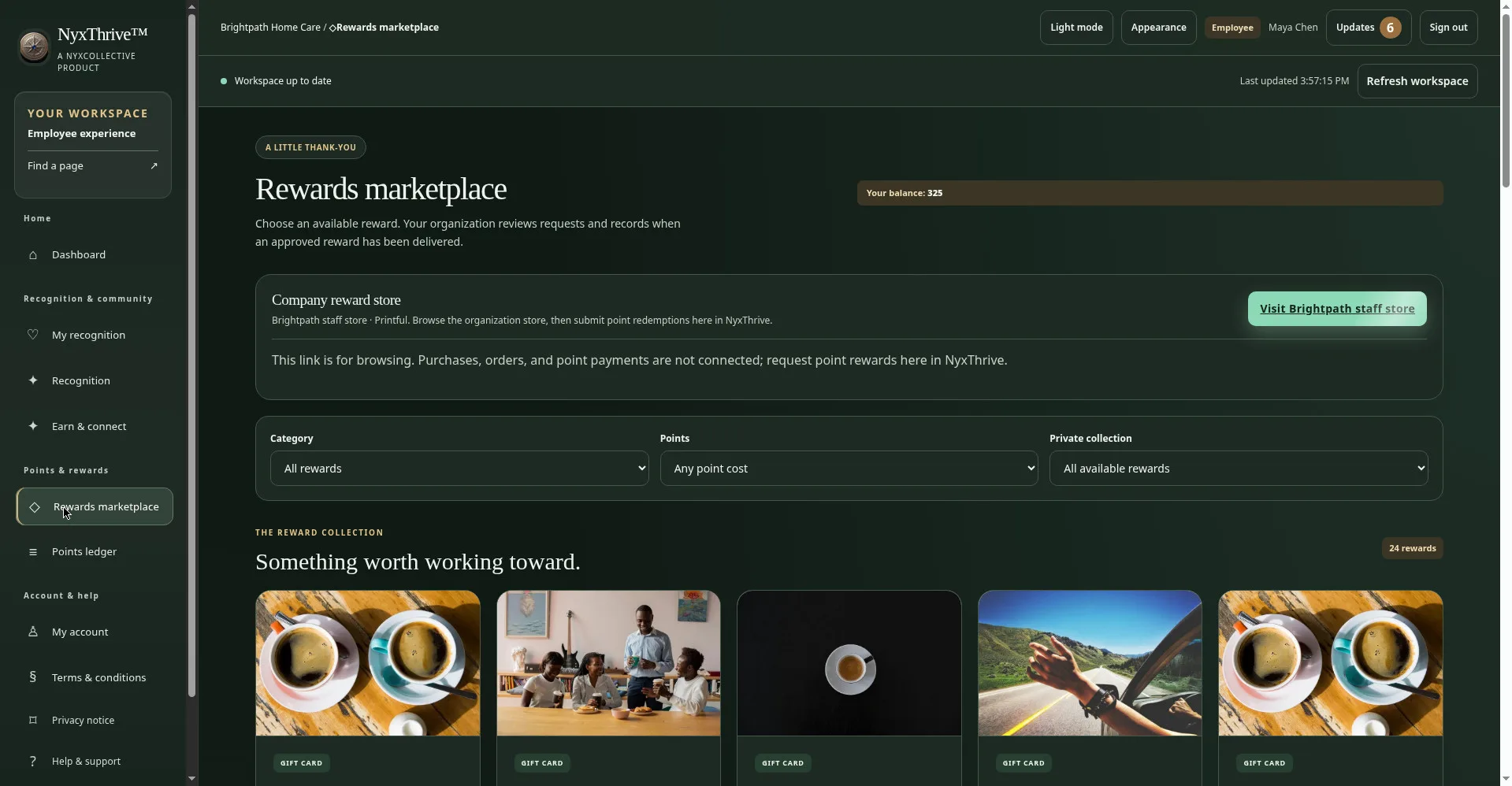
Choose an available reward. Your organization reviews requests and records when an approved reward has been delivered.
This link is for browsing. Purchases, orders, and point payments are not connected; request point rewards here in NyxThrive.
Track reward requests for your organization account.
NyxThrive tracks requests and fulfillment status. Your organization is responsible for providing rewards and managing eligibility, tax treatment, and related policies.
Every award, adjustment, and redemption has a date, reason, and recorded actor.
| Date | Staff member | Team | Activity | Reason | Points | Recorded by |
|---|
No matching ledger entries.
Calendar-month activity in UTC, with private employee settings excluded.
Review recognition reach and reward activity across your workforce. These measures describe platform activity, not employee satisfaction or causal business outcomes.
The most appreciated teammates this calendar month, by points received
Organization milestones from all recorded appreciation
One ticket per recognition given this month. The draw is weighted by tickets and the prize is credited only when you confirm the win.
Rare tickets found in scratch cards and reward redemptions
Counts from organization ledger entries in the selected period
Points and award counts by selected theme
Requests created in this period and their current status
Participation describes award reach across currently active employee accounts.
Repeat recipients received more than one award in the selected period.
Reward request statuses reflect their current state.
These are descriptive program measures. They do not establish changes in retention, morale, care quality, or financial outcomes. This analytics view never exposes employee-level analytics; optional leaderboard standings are separate, workspace-only, and employee opt-in.
Some older activity is not included because this view reached its read limit. Narrow the date range or consult your administrator for a complete export.
Department-level participation only. Groups with fewer than five active employees are not shown.
Practical follow-ups based only on activity in this workspace.
Approve or reject requests, then mark approved rewards fulfilled after your organization delivers them. Rejections return points and are recorded in the ledger.
Counts and request age cover the requests loaded so far. Age is informational and does not indicate an overdue request or service-level commitment.
| Requested | Staff member | Team | Reward | Cost | Wait / status / action |
|---|
Connect the workforce platform your organization already uses, then review roster changes before they enter NyxThrive.
NyxThrive has not verified customer-authorized Paycom API access or built a Paycom connector.
Ask your Paycom representative whether your account can provide approved roster and finalized timekeeping data, then request the official integration and sandbox documentation. A roster feed does not imply schedule or clock-punch access. Until the exact endpoints and customer authorization are confirmed, use the reviewed employee and attendance CSV workflows. Never enter Paycom passwords, tokens, or API secrets here.
One secure connection for supported HR and payroll providers
Finch connects only after your organization authorizes a supported provider. NyxThrive requests the directory and individual profile permissions needed for a read-only employee roster. Provider availability and fields vary.
Review directory entries in pages of 50. Active entries need a usable work email and name; department is shown when available. No payroll amounts or sensitive financial details are requested.
Your administrator approves access in Finch Connect and the selected HR or payroll provider. Credentials remain with the provider.
Compare each active directory entry with existing NyxThrive accounts. Missing work emails, duplicate identities, and existing accounts need review.
Only an administrator can approve the preview. Approval creates invited accounts; it does not activate employee sign-in or deactivate anyone.
Minimum read-only scope for roster review. No compensation, payroll, benefits, tax, bank, or government-ID data is imported.
| NyxThrive field | Workforce provider field | Scope |
|---|
Provider preview time is not an automatic synchronization timestamp. Imports create invitations only; existing accounts, schedules and payroll are not synchronized. Paycom remains a reviewed CSV workflow unless an authorized connector is implemented.
| Name | Work email | Department | Review |
|---|
Compare the full provider roster with your active accounts. People listed here have an active NyxThrive account but no longer appear in the roster. Check the list with care. Only disable people who have truly left.
| Name | Work email | Department |
|---|
Connect Paycom by API. NyxThrive pulls the employee roster once a night. New hires get accounts on their own, and people who leave are switched off. Data flows one way only, from Paycom to NyxThrive.
Post public recognition to a Slack or Microsoft Teams channel so appreciation shows up where work happens. Only the single recognition is shared - giver, recipient, category, points and moment. Private recognition is never posted, and balances or point totals are never included.
Post public recognition to one Slack channel
In Slack, create an incoming webhook for the channel (Slack app directory - Incoming Webhooks), then paste its URL here. The URL is stored on the server only and is never shown again - the status above confirms only its last four characters.
Post public recognition to one Teams channel
In Microsoft Teams, open the channel workflows and create the flow that posts to the channel when a webhook request is received, then paste its URL here. The URL is stored on the server only and is never shown again - the status above confirms only its last four characters.
Email mirrors the in-app inbox for the moments that should not wait in a browser tab: recognition received, reward requests waiting for an admin decision, and reward decisions. One email per event, with a link back to NyxThrive.
Notification email delivery for this workspace
Sending is configured with server environment keys, so there is nothing to paste here. Use the test button to prove delivery to your own sign-in inbox. Every member can turn these emails off in their account preferences; a delivery problem never blocks recognition or a reward decision.
Share a storefront employees can browse while NyxThrive continues to manage points and requests.
No external reward store link is enabled.
Publish a welcome, company values and organization-owned imagery. This does not rename the organization, change point rules or override anyone's personal appearance preferences.
Employer-funded ideas, not purchased rewards. Choose one to fill a draft, then review cost, eligibility and fulfillment before publishing.
Review suggested rules, a shared challenge and launch wording. Nothing is published automatically.
Configure a recognition program that is clear, fair, accessible, and aligned with your organization.
Set one supportive, organization-wide recognition goal. Progress counts public peer-recognition moments only.
Employees can choose whether to follow a challenge. Participation names are not shown to managers or teammates. Challenges do not award extra points, measure individuals, or include private recognition. Choose an end date within 90 days.
Optional, one-question feedback. Administrators receive aggregate ratings only.
Results remain suppressed until five active employees respond. Close a check-in when you are ready to review the aggregate.
Agree on eligible activities, point values, accessible participation, and a correction process before inviting employees.
Invite employee feedback, review participation across roles and shifts, and refine criteria without unsafe performance pressure.
Share team-level progress, maintain transparent rules, and review program outcomes with appropriate human oversight.
Current UTC calendar month
Loading the monthly points budget…
Some activity may not be included because the budget summary reached its read limit.
Forecast uses current month-to-date awards divided by elapsed calendar days, projected across the full UTC month. This is a planning estimate, not currency or a hard award limit.
Celebrate meaningful contributions across roles and shifts.
Recognize approved learning and practice improvement, not surveillance or individual speed scoring.
Recognize thoughtful service to customers, clients, colleagues, and the community.
Specialized training and compliance refreshers completed with quality and accessibility in mind.
Peer appreciation and voluntary contributions. Attendance and schedule coverage are not used to penalize staff or reward unsafe overwork.
Adjust category values for your pilot. Changes apply to new awards only.
Point rules and audit events are stored within your organization in Cloud Firestore, accessed only through the NyxThrive server.
Workspace deletion permanently removes its Firestore records and member sign-in accounts. Any Firestore backups or point-in-time recovery data expire according to the retention configured for the Firebase project. Export data before deletion.
Administrative changes and reward decisions for your organization.
| Date | Recorded by | Action |
|---|
Publish or temporarily unpublish rewards configured by your organization. Existing requests are not changed.
Categories help employees browse. Time away is a request only and remains subject to employer policy and approval. Donations, experiences, and other rewards are fulfilled by your organization. Estimated timing is informational, not a delivery guarantee.
| Reward | Description | Cost | Availability / estimate | Status | Action |
|---|
Your organization access and recognition preferences.
Organization account
To update your email, department, or organization access, contact your organization administrator.
Preview your color story, light or dark mode, text size, spacing, contrast and effects before saving. Your choices stay personal to your account on this browser.
Grow your skills, contribute to your community, and stay connected with leadership and peers.
Explore dated collections of learning, connection and appreciation. Each linked activity keeps its own eligibility, deadline and points.
Publish existing opportunities and an optional shared challenge as one coordinated collection. Publish activities in their normal workflows first.
Voluntary, admin-approved activities. One submission per employee per opportunity. Approval respects the rolling seven-day cap. Do not upload private or sensitive information.
Choose a deadline within 90 days. Publish accessible alternatives and clear criteria. No points for unsafe overwork, speed, or competitive employment scoring.
Check evidence against the published criteria. Points are awarded once, only after approval. Employees see their own evidence and decisions, not each other's submissions.
Workspace-visible conversations, not private messages. Share ideas, ask leadership questions and celebrate collaboration. No points for posting. Do not share sensitive employee, customer or business information.
Review your plan, employee capacity, and payment status.
Monthly subscription payments are securely processed by Stripe.
Loading billing details.
Subscriptions are handled on the web. To start or manage a plan, go to nyxthrive.com in a browser and sign in with this same account. Once a plan is active, everything it includes is available here.
Prices are in U.S. dollars and renew monthly. Applicable taxes are calculated at checkout. There is no free trial. Employee capacity includes active accounts and pending invitations. No clock-in or payroll data is sent to Stripe.
Terms for access to NyxThrive.
Effective date: October 7, 2026 · Product terms version 2026-10-v4
These terms govern access to NyxThrive, a product of NyxCollective LLC (“NyxCollective,” “we,” or “us”). A signed order form, enterprise agreement, or data processing agreement may supplement or replace these terms. This document requires review by qualified counsel before commercial release.
NyxThrive provides workforce recognition, points accounting, employee portal, reward request, and administration features as configured by an organization. The organization is responsible for authorized users, accurate program rules, rewards, employee communications, applicable employment obligations, and ensuring it has a lawful basis to use workforce information.
Users must provide accurate account information and protect their credentials. Organization administrators control invitations, roles, and access. Notify the organization administrator and NyxCollective of suspected unauthorized access. We may suspend access to protect the service or users. Production data handling is governed by the executed privacy notice, data processing agreement, and applicable order form.
Points are program units, have no cash value unless expressly stated in a signed agreement, are not a promise of wages or a guaranteed benefit, and may be adjusted under published organization program rules and applicable law. The organization administers reward eligibility, budget, approval, fulfillment, tax treatment, accessibility, expiration, corrections, and appeal processes. Do not use incentives for unsafe speed, perfect attendance, excessive work, individual customer or service outcomes, or discouraging incident reporting.
NyxThrive is intended to support respectful appreciation, not to replace professional judgment, staffing decisions, performance management, or safety reporting. Do not configure incentives around unsafe speed, outcomes outside an individual's control, perfect attendance, or working beyond scheduled hours. Real deployments should provide fair access across roles and shifts, transparent rules, a correction process, and human review.
Use only employee and organization information authorized for the service. Do not enter sensitive personal, financial, customer, or regulated information that is not required for recognition, including patient identifiers, protected health information, clinical notes, bank account details, or passwords. The organization remains responsible for its notices, permissions, retention instructions, and applicable privacy and employment laws.
Workforce platform connections require provider availability, customer authorization, least privilege, and an agreed data purpose and scope. The current Finch connector supports read-only directory review and administrator-approved employee invitations; it does not process payroll or automatically update or deactivate accounts. Third-party providers are independent of NyxCollective. Do not use the integration to transmit employee rewards as wages unless separately agreed and legally reviewed.
NyxCollective retains rights to the service, brand, and software. The organization retains rights to its data. Users may not misuse the service, bypass access controls, upload malicious code, reverse engineer except as permitted by law, or use the service in violation of law or third-party rights.
Service availability, support, security commitments, warranties, liability limits, indemnities, and termination rights are governed by the signed commercial agreement. No production service level or security certification is promised by this terms page. To the extent permitted by law, the service is provided under the applicable written agreement.
Commercial customers will receive material service-term changes according to their written agreement. On termination, data export and deletion are handled under the agreed retention schedule. Contact NyxCollective LLC through the account representative identified in the order form or service agreement.